Lucky Block Race Patch Notes & UPD Literacy
Lucky Block Race still updates in 2026 -- here is how to interpret short banners and confirm what actually changed in your matches.
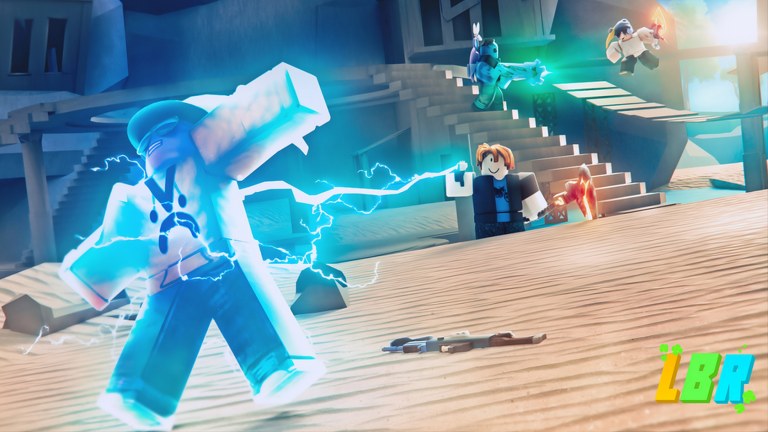
Small Roblox battlegrounds rarely publish novel-length changelogs. Lucky Block Race often signals work with a compact [UPD] banner in the experience title, a short note on the page, a group shout from Lucky Race, or a sudden difference in how blocks and fights feel. This page teaches you to read those signals, maintain a personal patch journal, and know which wiki sections to refresh afterward.
For the high-level timeline, see the Updates Hub. For play adjustments, jump to lucky block phase or how to win once you know what moved.
Known cadence reality
As of 23 November 2026, the place shows fresh Updated activity and an [UPD] title treatment — the game is not abandoned. Visits sit around ~472K with roughly 2561 favorites at research time. Exact weekly schedules are not always advertised publicly. Instead of inventing a fake “every Friday” rule, use this operational cadence:
- Glance at the Roblox experience Updated date when you return from a break (recently ~23 Nov 2026).
- Skim the title and description for [UPD] or event lines.
- Check the Lucky Race group wall (community id
11461619). - Play one diagnostic match before a long grind.
- Note differences; only then grind gems for skins.
If developers later announce a fixed schedule, this page will say so. Until then, detective habits beat rumor calendars.
What UPD banners usually imply
| Banner vibe | Likely touchpoints | Wiki follow-up |
|---|---|---|
| ”UPD” only | Anything — test broadly | Hub + one match |
| New blocks / chaos mention | Drop pool, traps | Tier list |
| Combat / fighting words | Damage, movement | How to Win |
| Skins / gems / shop | Economy cosmetics | Gems and Skins |
| Fixes / bugs | Stability, prompts | Controls interact checks |
| Codes / gifts | Promo strings | Codes |
Short banners are not developer laziness alone — they are also a prompt for the community to verify. Write down what you felt.
Diagnostic match checklist
Run this 8-minute protocol after any suspected patch:
- Graphics on high as recommended — readability changes matter.
- Count approximate blocks along your usual first route.
- Time how long an open interaction feels versus memory.
- Note if ruin events appear more or less often.
- In the fight phase, test one swing cadence and one mobility move.
- Open the shop once for new skin entries or price shifts.
- Screenshot or note anything surprising.
- Decide whether weapons tiers need a mental re-rank.
Share sober notes with friends; avoid dramatic “game is dead” takes after a single anomaly server.
Personal patch journal template
Date:
Roblox "Updated" stamp:
Banner text:
Open-phase notes:
Fight-phase notes:
Shop / gems notes:
Codes found? (yes/no):
Confidence (1-5):
After five patches you will see patterns — maybe combat shifts cluster together, or cosmetics drop without touching balance. That pattern knowledge is worth more than a fake scraped changelog site.
Version myths to ignore
- “Secret OP weapon added, trust me bro.” — Verify in multiple matches; check whether it is just variance.
- “Codes in the patch you must enter on this Google form.” — Phishing. Use in-game redeem flows only (Codes Hub).
- “Download this updater for Lucky Block Race.” — Malware. The only client is Roblox.
- “Scripts already adapted same day.” — Even if true, unsafe; read Scripts and stay clean.
When the wiki will add numbered patch pages
Child pages under updates/ will appear when a patch has enough confirmed detail to teach players something actionable: new mode rules, documented drop changes, or economy shifts. Sparse UPD-only weeks stay documented through this methodology page plus hub notes rather than filler fiction.
Cross-systems impact map
- Block density up -> greed routes change (block phase).
- New structures -> mode geometry advice shifts (modes).
- Weapon tuning -> S-F borders move (tier list).
- Gem payout tweaks -> grind planning changes (gems and skins).
- UI prompt fixes -> mobile/PC interact success (controls).
New players should still begin at Getting Started; veterans can land directly here after every banner.
Related links
Stay curious, verify in-client, and let short banners make you a better detective — not a more anxious grinder.
Frequently Asked Questions
Quick answers about Lucky Block Race codes, modes, and gems.
Does Lucky Block Race publish full patch notes?
Often you only get short UPD signals. Use the diagnostic checklist here to confirm what changed in live matches.
How often does the game update?
It remains actively updated, with an Updated stamp around 23 November 2026 and recurring [UPD] title banners. A fixed public weekday schedule is not always announced--check the Roblox stamp regularly.
What should I do right after seeing UPD?
Read the banner, run one diagnostic match, note open and fight differences, then adjust tier and routing assumptions.
Can patch notes include codes?
Sometimes events bundle promos. Confirm on the Codes Hub--never on password-stealing forms.
Why doesn't this page list every historical patch?
We avoid inventing changelogs. Numbered pages appear when enough verified detail exists to help players.
Where is the official announcement channel?
Start with the Roblox experience description and the Lucky Race group, linked from the Official Links hub.