Lucky Block Race Players, Controls & Modes
Master inputs, match formats, and badge collecting so your lucky-block loot actually converts into wins.
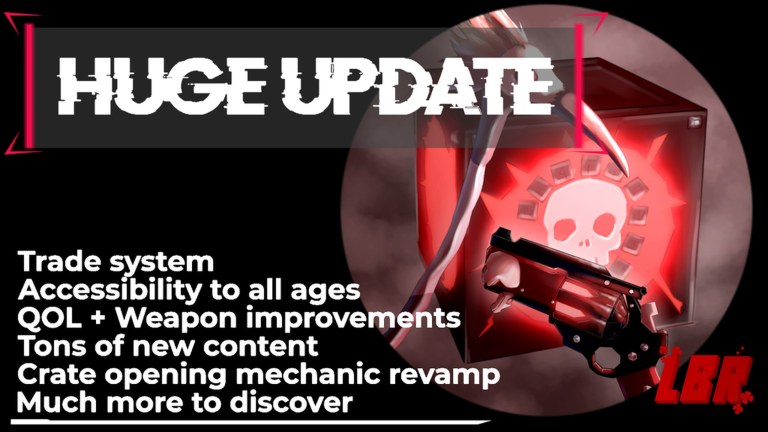
Lucky Block Race is a max 12-player Roblox battleground where personal mechanical skill matters as much as the loot you open. This Players Hub gathers the human side of the experience: how you move and fight on different devices, how each match format changes the correct play style once the timer ends, and how freebie letter badges fit a normal grind.
Unlike hero shooters with large rosters, this game does not lock you into named characters. “Players” here means you and the lobby — your camera habits, your mode preference, and how you adapt when luck hands you a weak kit.
Core pages
- Controls — PC and mobile inputs, camera tips, and why the official description asks for high graphics.
- Modes — deep dive into 1v1, 2v2, and FFA: pacing, third-party rules, and loadout priorities.
- Badges — freebie letter badges that spell LUCKY RACE!, what Freebie rarity means, and how to finish the set while playing normally.
Read controls first if you feel clumsy during the open phase. Read modes first if you win blocks but lose the fight for reasons you cannot explain. Read badges when you want a soft profile goal that does not invent fake unlock quests.
What every player should know about a round
- Open phase — Sprint between lucky blocks, open as many as possible before time runs out, and react when an event boosts or ruins your position.
- Fight phase — The lobby settles into 1v1, 2v2, or free-for-all with whatever weapons, utilities, and structures spawned.
- Reward — Winning pays gems used for lucky block and pickaxe skins. Details live in gems and skins. Letter badges can drop into your Roblox inventory through ordinary participation — see Badges.
Maturity labels include mild blood and violence. Expect chaotic collisions, not a peaceful simulator.
Skill pillars
Movement — Closing distance to blocks without tunneling so hard that you miss a trap spawn. Practice strafing and camera flicks on the controls page.
Inventory awareness — Knowing whether your strongest item is a dueling weapon, a cleave tool, or a panic utility. Cross-check with the tier list.
Mode literacy — Holding an angle in 1v1 is correct; the same hold in FFA might feed two opponents. The modes guide spells out those differences.
Tilt control — Bad rolls happen. Players who reset mentally between rounds climb gem totals faster than players who rage-requeue into the same mistake.
Device notes
PC players usually enjoy finer aim and keybind clarity. Mobile players can still compete if they customize touch layouts, keep graphics readable, and favor modes that reward game sense over pixel-perfect tracking. Both platforms share the same place file — there is no separate “mobile meta,” only different execution ceilings.
Voice chat is not supported on the experience listing, so 2v2 coordination relies on pre-made friends, emotes, or simply playing predictable default roles (entry vs support).
How this hub connects to the rest of the wiki
- New to the game? Start at Getting Started, then return here.
- Struggling before the timer ends? Open Lucky Block Phase.
- Struggling after the timer? Open How to Win.
- Want profile flair beyond skins? Open Badges.
- Curious about cheats people ask for? Read Scripts and stay clean.
- Looking for official destinations? Use Wiki Links.
Practice plan
Spend one session focusing only on opening efficiency. Spend the next session queueing the same mode repeatedly — for example three stacks of FFA — while writing down which fights you took too early. Alternate with duels when you want cleaner feedback. Between stacks, glance at your Roblox badge inventory to see which LUCKY RACE! letters remain. Check Updates if a patch changed block density or combat feel.
The Players Hub will grow if the developers add ranked brackets, loadout presets, or new formats. Until then, controls, modes, and badges cover the essentials that separate lucky winners from consistent ones.
Frequently Asked Questions
Quick answers about Lucky Block Race codes, modes, and gems.
Does Lucky Block Race have unlockable characters?
Progression focuses on gems and skins for lucky blocks and pickaxes, not a large hero roster. Your "build" is mostly what you open each round.
Which mode should beginners play?
FFA teaches chaos and third-partying; 1v1 teaches clean dueling. Try both after finishing Getting Started and Controls.
Is mobile viable?
Yes. Customize touch controls, raise graphics for clarity, and lean on game sense from the Modes and How to Win guides.
Can I use voice chat in matches?
The experience listing notes voice chat is not supported. Coordinate 2v2 with friends in external chat or silent defaults.
Where are detailed keybinds?
See the Controls subpage linked from this hub for PC and mobile guidance.