Lucky Block Race Controls Guide
Dial in movement and camera on PC or mobile so every second of the lucky-block timer turns into loot -- and every fight feels readable.
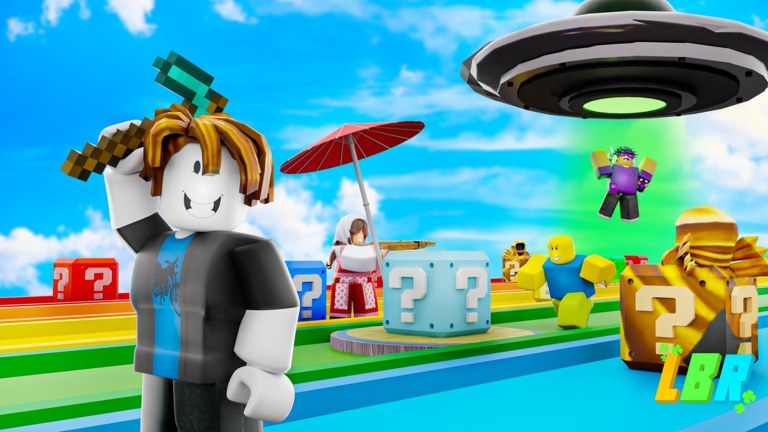
Lucky Block Race rewards players who move with intent. The open phase is a race against a shared timer; the fight phase is a compact battleground brawl in 1v1, 2v2, or FFA. Neither half cares how many skins you own if your camera is late and your interact key is clumsy. This guide covers practical PC and mobile control habits for place 16240725359, plus the developer’s own graphics advice.
Roblox experiences share a common input layer, so exact key labels can vary with your device settings. Focus on the jobs each input must do: translate, look, jump, interact/open, attack, and (if bound) emote or menu.
Before you queue: settings that matter
- Graphics quality high — The official description recommends high graphics for a better experience. Clearer blocks and player silhouettes beat muddy low settings when you are scanning the arena.
- Camera sensitivity — High enough to snap between block piles; low enough that you do not overflick past a target in 1v1.
- Shift lock / first-person preference — Many battleground players prefer shift-lock style facing for melee. Experiment in a quiet moment of the open phase, not mid-duel.
- Mobile UI scale — Enlarge the jump and attack buttons if your thumbs miss during panic FFA moments.
- Network comfort — Soft rubber-banding wastes opens; switch servers if interactions feel delayed.
Maturity includes mild blood and violence — expect busy screens when everyone collapses into mid.
PC controls checklist
| Action | Typical input | Open-phase note | Fight-phase note |
|---|---|---|---|
| Move | WASD | Strafe while approaching blocks | Circle strafe to whiff punish |
| Look | Mouse | Keep cursor near next pile | Track torso, not feet |
| Jump | Space | Mantle onto structure edges | Dodge horizontal swings |
| Interact / open | E or click prompt | Pre-aim at block before arrival | Rarely needed mid-fight |
| Attack | Click / bound key | Usually idle until timer ends | Buffer swings after movement |
| Menu / shop | Esc or UI button | Check skins between rounds | Do not open mid-engage |
PC habits that win rounds
- Pre-turn your camera toward the next block while the current open animation finishes.
- Never stand still after an open unless a utility forces you to channel — standing players eat surprise events.
- Jump only with purpose during fights; panic bunny-hopping can float you into cleaves.
- Rebind conflicting keys if you use browser extensions or unusual layouts.
Mobile controls checklist
Mobile can absolutely compete in Lucky Block Race. The ceiling is lower on fine aim, so compensate with routing IQ and mode choice.
| Action | Touch pattern | Tip |
|---|---|---|
| Move | Left thumb stick | Keep stick pushed while steering camera with right thumb |
| Look | Right drag | Short flicks between blocks beat wide washes |
| Jump | Jump button | Place it where your right thumb rests naturally |
| Open / interact | Tap proximity button | Approach aligned so the prompt appears early |
| Attack | Attack button | Prefer modes where reading beats tracking if aim feels soft |
Mobile-specific advice
- Enable any dynamic thumbstick option you prefer; static sticks frustrate long strafes.
- Raise graphics as high as your device allows without thermal throttle — clarity beats max fancy effects if you must choose.
- Consider 2v2 with a friend when voice is external; silent solo FFA is harsher on touch aim.
- Take a half-second longer on opens if tap registration is flaky — a missed open is worse than a slightly slower route.
Voice chat is listed as unsupported on the experience, so plan callouts outside the client when stacking.
Open-phase control goals
Your thumbs and mouse exist to maximize blocks opened per second without eating traps. Combine this page with lucky block phase:
- Spot cluster -> commit camera -> arrive already facing interact.
- Open -> immediate strafe to next marker.
- If a ruin event hits, control priority flips to escape movement, not greed taps.
Fight-phase control goals
Once the timer ends, inputs serve the plan from how to win and modes:
- 1v1 — Smooth tracking, disciplined jump usage, hold angles when your weapon is poke-oriented.
- 2v2 — Camera checks for your partner’s silhouette every few seconds; do not lock tunnel vision on one target forever.
- FFA — Constant peripheral awareness; the player behind you matters more than the one you almost finished.
Troubleshooting “my controls feel bad”
- Missed opens — Approach slower by a step; ensure the prompt is visible before mashing.
- Lost fights with good loot — Sensitivity too high; lower until you can track a strafing path.
- Dizzy camera — Disable unnecessary screen shake in Roblox settings if available; reduce flick size.
- Overheating mobile — Cap graphics one notch, close background apps, avoid charging-while-playing heat spikes.
Practice routine (15 minutes)
- Two rounds focusing only on zero missed interacts.
- Two rounds focusing only on camera leading to the next block.
- Two rounds in your worst mode, reviewing deaths caused by input delay vs bad decisions.
Then browse the weapons tier list so you know which drops deserve aggressive camera commitments.
Related pages
Clean inputs make lucky blocks feel luckier — because you simply open more of them.
Frequently Asked Questions
Quick answers about Lucky Block Race codes, modes, and gems.
Should I play in first person or third person?
Most players prefer third person with shift-lock style facing for melee clarity. Use whichever lets you track both blocks and enemies without motion sickness.
Why does the game ask for high graphics?
Higher settings make blocks, structures, and players easier to read during chaotic opens and FFA collapses.
Can I remap keys?
Use Roblox's device settings where available. Prioritize a comfortable interact key--you press it constantly in the open phase.
Is mobile at a huge disadvantage?
Aim is harder, but routing and mode sense close the gap. Customize touch layout and avoid forcing ultra-precise duel habits if FFA game sense suits you better.
Do I need a controller?
Not required. Mouse/keyboard and touch are the common paths. If you use a controller, confirm interact and attack bindings before serious matches.
What should I practice first?
Zero missed block opens, then camera leading. Combat polish comes after your open-phase controls are automatic.